
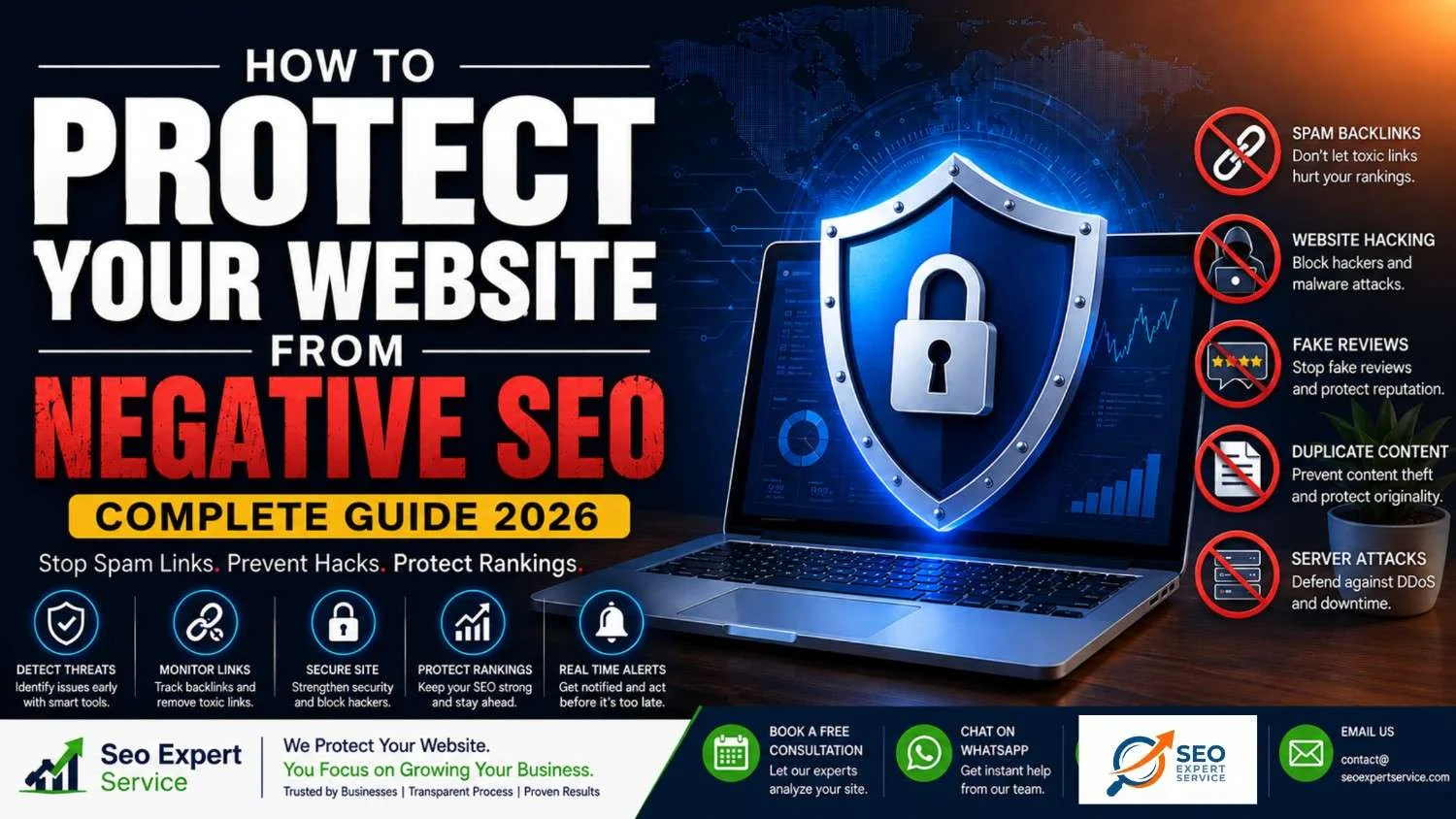
Did your website suddenly lose rankings?
Did traffic drop overnight?
Are hundreds of strange backlinks pointing to your website?
If yes, you might be dealing with a negative SEO attack.
The good news is that Google has become much smarter over the years. Most attacks don’t work like they used to. However, if your website is weak or not monitored properly, negative SEO can still hurt your rankings, traffic, and online reputation.
That’s why every website owner should know how to protect your website from negative SEO before an attack happens.
Table of Contents
Why Trust Seo Expert Service?
At Seo Expert Service, we help businesses build websites that are strong, secure, and ready for Google’s latest algorithm updates.
Our SEO experts focus on:
- White Hat SEO
- Technical SEO
- Website Security
- Link Audits
- E-E-A-T Optimization
- AI SEO (2026 Ready)
Instead of waiting for problems, we help businesses prevent them.
What Is Negative SEO?
Negative SEO is when someone tries to hurt your website’s Google rankings on purpose.
Instead of improving their own website, they attack yours.
Their goal is simple:
- Reduce your traffic
- Damage your reputation
- Make Google trust your website less
- Push their website above yours
These attacks are usually done by:
- Competitors
- Hackers
- Black Hat SEO agencies
- Automated spam bots
Think of it like this.
Imagine two students preparing for an exam.
One studies hard.
The other hides the first student’s books.
Negative SEO works in a similar way.
Instead of becoming better, attackers try to make your website look bad.
Does Negative SEO Still Work in 2026?
This is one of the biggest questions website owners ask.
The answer is:
Sometimes but not as often as before.
Google’s algorithms have improved a lot.
Today Google ignores many spam backlinks automatically.
However, some attacks can still cause serious problems, including:
- Website hacking
- Malware injections
- Fake reviews
- Content theft
- Server attacks
- Spam pages
- Redirect attacks
If your website already has weak SEO or poor security, these attacks become even more dangerous.
That’s why learning how to protect your website from negative SEO is so important.
Expert Tip: Google representatives like John Mueller often state that spammy links mostly just waste the attacker’s time. In many cases, what looks like a negative SEO attack is actually “self-inflicted” SEO damage such as accidental redirect loops during a site migration, broken CDN settings, or leftover staging URLs.
Why Would Someone Attack Your Website?
Most attackers have one goal:
They want your rankings.
Instead of creating better content, they try to damage yours.
Common reasons include:
- Ranking above competitors
- Stealing customers
- Damaging a brand’s reputation
- Hurting local businesses
- Revenge from unhappy people
- Black Hat SEO experiments
Some attackers even sell negative SEO services online.
Fortunately, Google continues improving its systems to reduce the impact of these unethical tactics.
Is Negative SEO Illegal?
The answer depends on how the attack is performed.
Some actions are simply against Google’s guidelines.
Others are actual crimes.
For example:
Usually unethical but not always illegal
- Spam backlinks
- Fake reviews
- Link farms
- Duplicate content
- Keyword spam
Often illegal
- Website hacking
- Malware installation
- DDoS attacks
- Fake DMCA notices
- Data theft
- Identity impersonation
If someone hacks your website, you should treat it as a cybersecurity issue not just an SEO problem.
What Are Negative Keywords in SEO?
Many people confuse negative SEO with negative keywords.
They are completely different.
Negative SEO
Someone attacks your website to reduce rankings.
Negative Keywords
These are keywords you purposely exclude in paid advertising to stop irrelevant traffic.
For example:
If you sell premium SEO services, you may exclude keywords like:
- Free SEO
- Cheap SEO Jobs
- SEO Course PDF
This prevents unqualified visitors from clicking your ads.
For organic SEO, negative keywords can also help clean your keyword strategy and avoid targeting the wrong audience.
Types of Negative SEO Attacks
Understanding the different attacks is the first step toward protecting your website.
Below are the most common ones used today.
1. Spam Backlink Attack
This is the most common negative SEO attack.
Attackers create thousands of low-quality backlinks pointing to your website.
These links often come from:
- Adult websites
- Gambling websites
- Casino websites
- Spam blogs
- Foreign-language sites
- Link farms
The goal is to make Google think your backlink profile is unnatural.
Warning signs
- Thousands of new backlinks overnight
- Strange anchor texts
- Unrelated websites linking to you
- Sudden increase in referring domains
2. Content Scraping
This attack copies your articles and publishes them on hundreds of websites.
Sometimes the copied version gets indexed before yours.
Problems caused by content scraping include:
- Duplicate content confusion
- Lost rankings
- Reduced authority
- Lower traffic
Content scraping happens when someone copies your articles and publishes them elsewhere. It is crucial to understand why having duplicate content is an issue for SEO because it can confuse search engines and dilute your authority
3. Website Hacking
This is one of the most dangerous attacks.
Hackers may secretly:
- Add spam pages
- Inject hidden links
- Insert malicious code
- Change meta titles
- Modify canonical tags
- Redirect visitors
- Add malware
Sometimes website owners don’t even notice for weeks.
4. Fake Negative Reviews
Your online reputation also affects SEO.
Attackers may leave fake reviews on:
- Google Business Profile
- Yelp
- Trustpilot
- Industry directories
Too many fake reviews can:
- Reduce customer trust
- Lower local rankings
- Decrease conversions
5. Fake Link Removal Requests
This attack is less common but still dangerous.
An attacker pretends to be your company.
They contact websites linking to you and ask them to remove your backlinks.
If successful, you lose valuable authority.
Unauthorized hotlinking happens when webmasters load media (like your high-quality infographics or images) directly from your server instead of hosting it themselves. This deliberate “bandwidth theft” puts a massive strain on your hosting, making your website dangerously slow for actual users and leading to lower rankings.
6. Fake Social Profiles
Some attackers create fake accounts using your business name.
They may:
- Spread false information
- Post harmful content
- Confuse customers
- Damage your reputation
Brand monitoring helps stop this early.
7. DDoS Attacks
A Distributed Denial of Service (DDoS) attack floods your server with fake traffic.
As a result:
- Website becomes slow
- Website crashes
- Visitors leave
- Google may struggle to crawl pages
This hurts both user experience and SEO.
8. Crawl Budget Manipulation
Some attackers use bots to overload your website.
Google wastes time crawling fake URLs instead of important pages.
This may delay indexing of new content.
9. Malware Injection
Hackers secretly place harmful files inside your website.
Google may display warnings like:
“This site may be hacked.”
or
“This site may harm your device.”
When that happens, traffic usually drops dramatically.
10. Unauthorized Hotlinking (Bandwidth Theft)
Attackers link directly to your images or media on their websites. This drains your server resources, slowing down your website and hurting your Core Web Vitals. You can prevent this by adding simple hotlink protection rules in your .htaccess file or using a CDN.
Signs of a Negative SEO Attack
The faster you detect an attack, the easier recovery becomes.
Watch for these warning signs.
Sudden Drop in Rankings
If many important keywords disappear within a few days, investigate immediately.
Traffic Falls Without Explanation
Check Google Search Console and Google Analytics.
A sharp traffic decline without website changes deserves attention.
Thousands of New Backlinks
A sudden backlink spike often indicates spam link attacks.
Strange Indexed Pages
Search Google:
site:yourdomain.com
If you see:
- Casino pages
- Pharmacy pages
- Adult content
- Random URLs
your website may have been hacked.
Security Warnings
Google Search Console may show:
- Malware detected
- Hacked content
- Manual action
- Security issues
Never ignore these alerts.
Sudden Increase in Fake Reviews
If dozens of bad reviews appear within a short period, report them immediately.
Content Appears on Other Websites
Search for unique sentences from your articles.
If identical copies exist elsewhere, your content may have been scraped.
Quick Negative SEO Detection Checklist
| Warning Sign | What It Could Mean |
| Rankings suddenly drop | Possible SEO attack |
| Organic traffic decreases | Manual issue or spam |
| Thousands of backlinks appear | Spam backlink campaign |
| Strange pages indexed | Website hacked |
| Malware warnings | Security breach |
| Fake reviews increase | Reputation attack |
| Duplicate articles found | Content scraping |
Why Prevention Is Better Than Recovery
Recovering from a negative SEO attack can take weeks or even months.
Preventing one is much easier.
A well-protected website usually has:
- Strong technical SEO
- High-quality backlinks
- Secure hosting
- Regular monitoring
- Fast indexing
- Trusted brand authority
- Helpful content
- Strong E-E-A-T signals
When these foundations are in place, most negative SEO attempts become little more than background noise.
Protect Your Website Before Attackers Strike
Your rankings are one of your most valuable business assets.
Don’t wait until traffic disappears email us : contact@seoexpertservice.com
Seo Expert Service helps businesses:
- Monitor toxic backlinks
- Improve website security
- Perform technical SEO audits
- Build high-authority backlinks
- Strengthen E-E-A-T
- Recover from SEO attacks
How to Protect Your Website from Negative SEO
Knowing what negative SEO is isn’t enough.
The real question is:
How can you stop it before it hurts your rankings?
The good news is that you don’t need expensive software or a huge IT team.
Most negative SEO attacks can be detected early if you regularly monitor your website and follow a few smart security practices.
Let’s go through each protection method step by step.
1. Monitor Your Website Every Week
The biggest mistake website owners make is assuming everything is fine because the website is still online.
Negative SEO often starts quietly with a few spam backlinks or a small ranking drop. Keeping a close eye on your metrics is exactly how you know if your SEO is working or if an attack is sabotaging your progress.
- A few spam backlinks.
- A fake review.
- A hidden page.
- A small ranking drop.
- By the time you notice it, the damage may already be done.
- That’s why website monitoring should become part of your weekly routine.
Check:
- Organic traffic
- Keyword rankings
- Indexed pages
- Backlinks
- Website uptime
- Security notifications
- Reviews
- Brand mentions
Just 15–20 minutes each week can help you catch problems before they become serious.
2. Monitor Your Backlink Profile Regularly
Your backlinks tell Google whether your website is trustworthy.
That’s why attackers often target your backlink profile first.
Instead of building quality links, they create thousands of spam links pointing to your website.
Although Google ignores many bad links today, monitoring them is still essential.
What to Look For
Watch for:
- Hundreds of new backlinks overnight
- Links from gambling websites
- Adult websites
- Foreign-language domains
- Spam directories
- Blog comment spam
- Forum profile links
- Strange anchor texts
Examples of suspicious anchor text include:
- Cheap Pills
- Casino Online
- Poker Bonus
- Adult Keywords
- Random foreign-language text
If you notice a sudden spike, investigate immediately.
Best Tools for Backlink Monitoring
Google Search Console
Google Search Console is free and should be your first monitoring tool.
It helps you see:
- New backlinks
- Top linking websites
- Internal links
- Manual actions
- Security warnings
Review your backlinks at least once every week.
Ahrefs
Ahrefs provides detailed backlink reports including:
- New links
- Lost links
- Referring domains
- Anchor text analysis
- Domain Rating
It’s one of the fastest ways to spot unusual backlink growth.
SEMrush
SEMrush includes a powerful backlink audit feature.
It can identify:
- Toxic backlinks
- Suspicious referring domains
- Link authority
- Overall backlink health
Monitor Backlinks
This tool sends email alerts whenever:
- New backlinks appear
- Important backlinks disappear
This is especially useful because attackers sometimes try to remove your strongest backlinks by pretending to be your company.
3. Protect Your Best Backlinks
- Many people don’t realize this attack exists.
- Instead of creating bad links,
- attackers contact websites that already link to you.
- They pretend to be you.
- Then they ask the website owner to remove the backlink.
- If enough quality backlinks disappear, your authority may decline.
How to Prevent This
Always communicate with partners using an email address from your own domain.
Example:
hello@yourdomain.com
Instead of:
- Gmail
- Yahoo
- Outlook
This makes it much harder for attackers to impersonate your business.
Also keep a list of your most valuable backlinks.
Review them every month to ensure they are still active.
4. Perform Regular Link Audits
A backlink audit is like a health check for your website.
It helps you find:
- Toxic links
- Broken links
- Lost backlinks
- Spam domains
- Link spikes
During every audit ask:
- Does this website look trustworthy?
- Is the content relevant?
- Does this backlink make sense?
- Would I intentionally want this website linking to mine?
If the answer is ‘No,’ investigate further. To ensure you don’t miss any critical vulnerabilities during your checks, download and follow our ultimate SEO audit checklist.
5. Use Google’s Disavow Tool Carefully
Many beginners think they should disavow every spam backlink.
That’s not true.
Google already ignores many low-quality links automatically.
Use the Google Disavow Tool only when:
- You’ve received a Manual Action
- A very large spam campaign targets your website
- You’ve already tried removing the links
Submitting the wrong domains may actually hurt your SEO.
Always review links carefully before creating a disavow file.
6. Strengthen Your Website Security
- Many negative SEO attacks happen because websites have weak security.
- A hacked website can lose rankings within hours.
- Strong security protects both your visitors and your SEO.
Use HTTPS
Always install an SSL certificate.
Visitors should see:
https://
instead of
http://
Google considers HTTPS a trust signal.
Enable Two-Factor Authentication
Your password alone isn’t enough.
Enable Two-Factor Authentication (2FA) for:
- WordPress
- Hosting
- Google Search Console
- Google Analytics
- Domain registrar
Even if someone steals your password, they still cannot access your accounts.
Create Strong Passwords
Avoid passwords like:
- admin123
- password
- companyname
Instead use:
- Long passwords
- Numbers
- Symbols
- Uppercase letters
- Password managers
Close Technical Vulnerabilities
Disable xmlrpc.php (A common entry point for brute-force bot attacks in WordPress). – Delete leftover staging or backup files like functions.php.bak (Hackers download these plain-text backups to find exploits).
Keep Everything Updated
Old software is one of the easiest ways hackers gain access.
Update regularly:
- WordPress
- Plugins
- Themes
- PHP
- CMS
- Extensions
Install a Security Plugin
If you use WordPress, install a trusted security plugin.
It can help detect:
- Malware
- Login attacks
- File changes
- Brute-force attempts
Early detection prevents bigger problems later.
Schedule Automatic Backups
- Imagine your website gets hacked today.
- Would you be able to restore everything?
- If not, you’re taking a huge risk.
Create automatic backups:
- Daily
- Weekly
- Monthly
Store copies in multiple locations.
7. Protect Your Website Against Content Scraping
- Content scraping happens when someone copies your articles and publishes them elsewhere.
- Although Google often identifies the original source, it’s still worth monitoring.
How to Detect Stolen Content
Copy one sentence from your article.
Paste it into Google inside quotation marks.
Example:
“Your exact sentence here”
If identical copies appear elsewhere, investigate.
Helpful Tools
You can also use:
- Copyscape
- Siteliner
These tools scan the web for duplicate content.
What Should You Do?
If someone copied your content:
- Contact the website owner.
- Request removal.
- Submit a DMCA complaint if necessary.
- Ask Google to review copyright violations.
Also publish new content regularly.
Fresh content helps Google recognize your website as the original source.
8. Monitor Your Brand Mentions
Negative SEO isn’t limited to websites.
Your brand reputation matters too.
Track mentions of your:
- Business name
- Brand
- Products
- Website
This helps identify:
- Fake accounts
- False information
- Spam discussions
- Reputation attacks
Tools That Help
Useful monitoring tools include:
- Google Alerts
- Mention
- Brand24
You’ll receive notifications whenever your brand appears online.
9. Watch Online Reviews Carefully
Local SEO depends heavily on reviews.
Fake reviews can reduce trust and conversions.
Check platforms like:
- Google Business Profile
- Trustpilot
- Yelp
If you notice:
- Many one-star reviews
- Similar wording
- Fake customer names
- Multiple reviews within hours
- Report them immediately.
- Always respond professionally.
- Never argue with reviewers.
10. Secure Your Social Media Accounts
Some attackers create fake business profiles.
Protect your brand by:
- Verifying accounts
- Using strong passwords
- Enabling Two-Factor Authentication
- Monitoring mentions
- Reporting fake profiles quickly
A verified profile also builds customer trust.
11. Monitor Website Speed and Uptime
If your website suddenly becomes slow, investigate immediately.
Slow websites hurt:
- Rankings
- User experience
- Sales
- Crawl efficiency
Sometimes this slowdown is caused by:
- Server issues
- Bot attacks
- DDoS attacks
Useful Monitoring Tools
Popular uptime monitoring tools include:
- UptimeRobot
- Pingdom
These services notify you when your website goes offline so you can respond quickly.
12. Improve Your Technical SEO
A technically strong website is much harder to damage.
Regularly check:
- Broken links
- Redirect errors
- Crawl errors
- XML sitemap
- Robots.txt
- Canonical tags
- Core Web Vitals
- Mobile usability
Technical SEO acts like your website’s foundation.
If it’s strong, attacks become less effective.
Technical SEO acts like your website’s foundation. If it’s strong, attacks become less effective. If you are unsure where to start, read our complete guide on how you perform a technical SEO audit.
13. Build a Strong Brand
One of the best defenses against negative SEO isn’t technical.
It’s trust.
Google trusts brands with:
- High-quality content
- Positive reviews
- Real expertise
- Helpful information
- Consistent publishing
- Quality backlinks
The stronger your reputation becomes, the harder it is for competitors to damage it.
Focus on becoming the most trusted source in your industry.
Common Mistakes Website Owners Make
Avoid these mistakes:
- Ignoring Google Search Console
- Never checking backlinks
- Buying cheap backlinks
- Using outdated plugins
- Weak passwords
- No website backups
- Ignoring fake reviews
- Publishing thin content
- Waiting until rankings drop
- Prevention is always easier than recovery.
Quick Weekly Negative SEO Protection Checklist
- Use this checklist every week:
- Check Google Search Console
- Review new backlinks
- Monitor keyword rankings
- Look for security alerts
- Check website speed
- Review online reviews
- Monitor brand mentions
- Scan for duplicate content
- Update plugins and themes
- Create website backup
Following this routine can help you identify most negative SEO attacks before they cause major damage.
Keep Your Website Safe with Seo Expert Service
Negative SEO doesn’t have to keep you awake at night.
At Seo Expert Service, we proactively protect websites through:
- Comprehensive backlink audits
- Technical SEO monitoring
- Website security checks
- Spam backlink analysis
- E-E-A-T optimization
- Recovery from Google penalties
- White Hat SEO strategies designed for long-term growth
Book a Free Consultation
Let our experts evaluate your website and uncover hidden SEO risks before they impact your rankings email us : contact@seoexpertservice.com
Why You Need Negative SEO Monitoring Tools
Even the best website can become a target.
The biggest mistake website owners make is waiting until rankings drop before checking their website.
By then, valuable traffic and leads may already be gone.
Instead, use SEO monitoring tools to catch problems early.
Think of these tools as a 24/7 security system for your website. They watch your backlinks, traffic, security, rankings, and overall health so you can respond before a small issue turns into a major problem.
Let’s explore the best tools every website owner should use in 2026.
1. Google Search Console (The Most Important Free Tool)
If you use only one SEO tool, make it Google Search Console (GSC).
Since Google owns this platform, it provides the most accurate information about how Google views your website.
It should be the first place you check whenever you suspect a negative SEO attack.
What Google Search Console Can Detect
GSC helps identify:
- Sudden ranking drops
- Manual penalties
- Security issues
- Malware warnings
- Indexing problems
- Spam pages
- Crawl errors
- Backlink information
- Mobile usability issues
- Core Web Vitals
Check the Security Issues Report
One of the most important sections inside Google Search Console is the Security Issues report.
If Google detects:
- Malware
- Hacked pages
- Spam content
- Phishing attacks
- Harmful downloads
It will notify you here.
Never ignore these alerts.
The sooner you fix the issue, the faster your website can recover.
Monitor Your Indexed Pages
Search Google using:
site:yourdomain.com
Then compare those results with the pages listed inside Search Console.
If you discover pages like:
- /casino/
- /viagra/
- /betting/
- /cheap-pills/
your website may have been hacked.
Check Performance Every Week
Review:
- Total Clicks
- Total Impressions
- Average Position
- Average CTR
A sudden drop often indicates a technical problem or a possible negative SEO attack.
2. Google Analytics 4 (GA4)
Google Analytics tells you how visitors interact with your website.
It won’t directly say,
“You’ve been attacked.”
Instead, it shows unusual visitor behavior that may indicate something is wrong.
Watch for Sudden Traffic Drops
One of the easiest warning signs is a sudden decline in organic traffic.
Ask yourself:
- Did traffic suddenly decrease?
- Did conversions disappear?
- Are visitors leaving immediately?
If yes, investigate immediately.
Watch Bounce Rate & Engagement
A hacked website often creates a poor user experience.
Visitors may leave quickly because:
- Spam pages appear
- Redirects occur
- Malware warnings appear
- Pages load slowly
Watch for sudden changes in:
- Engagement Rate
- Average Engagement Time
- Session Duration
- Conversions
3. Ahrefs
Ahrefs is one of the best backlink analysis tools available.
It allows you to monitor your backlink profile in great detail.
What Ahrefs Helps You Find
Ahrefs can identify:
- New backlinks
- Lost backlinks
- Referring domains
- Anchor text changes
- Broken backlinks
- Competitor backlinks
Detect Spam Link Attacks
If hundreds or thousands of backlinks suddenly appear from unrelated websites,
that’s a strong warning sign.
Examples include:
- Gambling websites
- Adult websites
- Foreign blogs
- Link farms
- Spam directories
Review these links carefully.
Monitor Lost Links
Negative SEO isn’t always about creating bad backlinks.
Sometimes attackers remove your best backlinks.
Ahrefs quickly identifies:
- Lost authority links
- Removed referring domains
- Missing backlinks
This helps you contact website owners before rankings are affected.
4. SEMrush
SEMrush is another powerful SEO platform for detecting website issues.
Its Backlink Audit Tool is especially useful.
SEMrush Can Help Detect
- Toxic backlinks
- Spam score
- Referring domains
- Link quality
- Lost backlinks
- Anchor text manipulation
Toxic Score
One of SEMrush’s most useful features is the Toxic Score.
It estimates whether backlinks may be harmful.
Remember:
A high Toxic Score doesn’t always mean you should disavow the link.
Always review suspicious links manually.
5. Bing Webmaster Tools
Many website owners ignore Bing.
That’s a mistake.
Bing Webmaster Tools provides another search engine’s view of your website.
Sometimes it identifies technical issues before Google does.
Features Include
- Index coverage
- Crawl reports
- SEO recommendations
- Security reports
- Keyword performance
- Site scans
Using both Google Search Console and Bing Webmaster Tools provides a more complete picture of your website’s health.
6. Screaming Frog SEO Spider
Screaming Frog scans your website just like a search engine crawler.
It’s excellent for finding technical SEO problems.
It Can Detect
- Broken links
- Redirect chains
- Duplicate titles
- Missing meta descriptions
- Canonical errors
- Noindex pages
- Internal linking issues
- Large images
- Server errors
Detect Unexpected Changes
If attackers secretly modify:
- Meta titles
- Canonical tags
- Redirects
- Internal links
Screaming Frog usually finds them very quickly.
7. UptimeRobot
Negative SEO sometimes targets your server instead of your rankings.
If your website keeps going offline,
Google may struggle to crawl it.
Visitors won’t be happy either.
UptimeRobot Monitors
- Website uptime
- Server availability
- Response time
- Downtime alerts
You’ll receive notifications by:
- SMS
- Mobile app
- Slack
Fast alerts mean faster fixes.
8. Pingdom
Pingdom focuses on website speed and performance.
If pages suddenly become slow,
investigate immediately.
Possible causes include:
- Server overload
- Malware
- Heavy bot traffic
- DDoS attacks
Website speed directly affects:
- Rankings
- User experience
- Conversions
9. Copyscape
Content theft remains one of the most common negative SEO tactics.
Copyscape scans the web for duplicate versions of your articles.
Why It Matters
Copied content can:
- Confuse search engines
- Dilute authority
- Create duplicate content issues
- Steal traffic
If copied pages appear,
contact the website owner or file a copyright complaint if necessary.
10. Siteliner
Siteliner helps identify duplicate content inside your own website.
It checks for:
- Duplicate pages
- Broken links
- Redirects
- Thin content
Keeping your own website clean reduces the risk of SEO issues.
11. Google Alerts
Negative SEO isn’t limited to backlinks.
People may mention your brand online.
Some mentions are positive.
Others are harmful.
Google Alerts lets you monitor your business name automatically.
Create Alerts For
- Company name
- Website name
- Founder name
- Product names
- Brand keywords
You’ll receive email notifications whenever Google finds new mentions.
12. Brand24 & Mention
These tools monitor social media, forums, blogs, and news websites.
They’re useful for finding:
- Fake accounts
- Brand impersonation
- Fake reviews
- Negative discussions
- Reputation attacks
Early detection helps prevent long-term damage.
13. Cloudflare
Cloudflare is much more than a CDN.
It also helps protect websites against:
- DDoS attacks
- Bot attacks
- Malicious traffic
- Server overload
Additional benefits include:
- Faster loading speed
- Better security
- Improved uptime
- Global content delivery
For most business websites, Cloudflare is one of the smartest security investments.
14. WordPress Security Plugins
If your website runs on WordPress, install a trusted security plugin.
A good security plugin can detect:
- Malware
- File changes
- Login attacks
- Brute-force attempts
- Suspicious activity
Regular scans help you discover attacks before search engines notice them.
15. Bot Zapping & AI Blockers
Use bot-blocking software like ClickCease or Cloudflare Bot Management. These tools automatically zap malicious scrapers, spam comment bots, and fake traffic before they even hit your server.
Build Your Own Negative SEO Dashboard
Instead of checking dozens of websites every day, create a simple monitoring dashboard.
Track these metrics weekly:
| Metric | Recommended Tool |
| Organic Traffic | Google Analytics 4 |
| Keyword Rankings | Google Search Console |
| Backlinks | Ahrefs / SEMrush |
| Security Issues | Google Search Console |
| Website Speed | Pingdom |
| Website Uptime | UptimeRobot |
| Duplicate Content | Copyscape |
| Brand Mentions | Google Alerts |
| Social Mentions | Brand24 / Mention |
| Technical SEO | Screaming Frog |
Checking these metrics regularly makes it much easier to spot unusual activity before it impacts your rankings.
Weekly Monitoring Routine
People frequently ask how often you should conduct an SEO audit. While deep audits can be done monthly or quarterly, a lightweight weekly routine is essential to catch negative SEO attacks early
Follow this simple routine every week:
Monday
- Check Google Search Console
- Review security alerts
- Monitor keyword rankings
Wednesday
- Audit new backlinks
- Check for toxic referring domains
- Monitor lost backlinks
Friday
- Scan website performance
- Review brand mentions
- Check online reviews
- Look for duplicate content
This routine takes less than one hour and can help prevent major SEO issues.
Expert Tip from Seo Expert Service
Many website owners install SEO tools but rarely look at the reports.
The real value comes from consistent monitoring.
A five-minute weekly review can help you catch spam backlinks, hacked pages, fake reviews, or indexing issues before they become serious ranking problems.
Protect Your Website with Professional SEO Monitoring
At Seo Expert Service, we don’t just improve rankings we continuously monitor your website to help detect potential negative SEO issues early.
Our services include:
- Advanced backlink monitoring
- Technical SEO audits
- Website security reviews
- Spam backlink detection
- Performance monitoring
- White Hat SEO strategies
- Long-term SEO maintenance
Book a Free Consultation
Let our experts review your website and identify hidden risks before they affect your business email us : contact@seoexpertservice.com
How to Recover from a Negative SEO Attack (Step-by-Step Recovery Guide)
Your Website Has Been Attacked. What Should You Do?
Discovering that your website has been hit by a negative SEO attack can be stressful.
You might notice:
- Rankings suddenly disappear.
- Organic traffic drops.
- Spam backlinks appear overnight.
- Strange pages are indexed.
- Fake reviews increase.
- Customers report unusual website behavior.
Don’t panic.
Most negative SEO attacks can be recovered from if you act quickly and follow a structured recovery plan.
Don’t panic. Most negative SEO attacks can be recovered from if you act quickly and follow a structured recovery plan. You can also check our step-by-step strategy on how to recover SEO rankings quickly after a drop.
Let’s go through each step.
Step 1: Confirm That It Is Really a Negative SEO Attack
Not every ranking drop is caused by competitors.
Before taking action, rule out other possible causes.
Check whether:
- Google released a major algorithm update.
- Your website was recently redesigned.
- Important pages were deleted.
- Robots.txt was changed.
- Noindex tags were added.
- Hosting experienced downtime.
If none of these happened, investigate for signs of a negative SEO attack.
Step 2: Identify the Type of Attack
Recovery depends on knowing what you’re dealing with.
The most common attacks include:
Spam Backlinks
Thousands of low-quality links suddenly point to your website.
Website Hacking
Attackers inject:
- Hidden pages
- Spam links
- Malware
- Redirects
Fake Reviews
Negative reviews appear across Google Business Profile and other review sites.
Content Scraping
Your articles are copied and published elsewhere.
DDoS Attack
Your server becomes overloaded and the website slows down or goes offline.
Fake Link Removal Requests
High-quality backlinks disappear because attackers pretend to represent your business.
Understanding the attack makes recovery much easier.
Step 3: Check Google Search Console Immediately
Google Search Console should be your first stop.
Review these reports carefully.
Security Issues
Look for warnings such as:
- Malware
- Hacked Content
- Phishing
- Harmful Downloads
Fix these issues immediately.
Manual Actions
If Google has applied a Manual Action, it will appear here.
Examples include:
- Unnatural backlinks
- Spam content
- Cloaking
- Pure spam
Read Google’s explanation carefully before making changes.
Coverage Report
Look for:
- New indexing errors
- Blocked pages
- Soft 404 errors
- Crawl issues
Unexpected problems may indicate website manipulation.
Step 4: Audit Your Backlinks
Spam backlinks remain one of the most common forms of negative SEO.
Begin by exporting your backlink profile.
Review every suspicious domain.
Watch for links from:
- Adult websites
- Gambling sites
- Casino domains
- Foreign-language blogs
- Spam directories
- Link farms
Also review anchor text.
Spam anchor text often contains unrelated or offensive keywords.
Step 5: Try Removing Harmful Backlinks
Before using Google’s Disavow Tool, try contacting website owners.
Send a polite removal request.
Many webmasters will remove spam links if asked.
Keep a record of:
- Website contacted
- Date
- Response received
This documentation can help if Google later requests evidence of cleanup efforts.
Step 6: Use Google’s Disavow Tool Carefully
The Disavow Tool should be your last option, not your first.
Use it only if:
- You have a Manual Action for unnatural links.
- You are confident the backlinks are harmful.
- You cannot get them removed manually.
Your disavow file should include only domains you genuinely want Google to ignore.
Disavowing quality backlinks can reduce your rankings even further.
The “Don’t Panic-Disavow” Rule: Never disavow links out of panic. Disavowing helpful links by mistake causes more ranking drops than the actual negative SEO attack. Treat this tool strictly as a last resort.
Step 7: Remove Hacked Content
If hackers accessed your website, remove every malicious file immediately.
Check for:
- Unknown pages
- Hidden text
- Hidden links
- Spam keywords
- Redirect scripts
- Suspicious JavaScript
- Unknown plugins
- Unknown administrator accounts
Restore clean backups whenever possible.
After cleaning the website:
- Update passwords
- Change API keys
- Enable Two-Factor Authentication
- Update plugins and themes
Step 8: Remove Malware
If malware is detected:
- Scan the website.
- Remove infected files.
- Restore clean backups.
- Patch security vulnerabilities.
Once the website is clean,
request Google to review the security issue through Google Search Console.
Step 9: Remove Fake Reviews
If competitors post fake reviews:
Report Them
Use the reporting tools available on:
- Google Business Profile
- Trustpilot
- Yelp
Explain why the review violates platform guidelines.
Respond Professionally
If a fake review remains visible:
Reply politely.
Example:
“We cannot locate this experience in our records. Please contact us directly so we can investigate.”
Professional responses build trust with future customers.
Step 10: Recover from Content Scraping
If another website copied your content:
First:
Contact the website owner.
If they ignore you:
- File a DMCA complaint.
- Report copyright infringement.
- Ask search engines to review duplicate content.
Continue publishing fresh, original content.
Google generally recognizes consistent publishers over copied versions.
If a competitor files a fake DMCA complaint and Google removes your page, you have the right to file a legal counter-notice through Google Search Console to get your content restored quickly.
Step 11: Restore Lost Backlinks
If valuable backlinks disappeared:
Contact the website owner.
Ask:
- Why was the link removed?
- Was the request legitimate?
- Can the backlink be restored?
Sometimes the website owner unknowingly removed your link after receiving a fake email from an attacker.
Step 12: Improve Your Website Security
After recovery, strengthen your defenses.
Use:
- SSL certificate
- Two-Factor Authentication
- Security plugins
- Firewall
- Daily backups
- Malware scanning
- Strong passwords
- Cloudflare or another CDN
Recovery is only complete when future attacks become much harder.
Step 13: Request Google Review (If Needed)
If your website received a Manual Action,
you must submit a reconsideration request after fixing every issue.
Your request should explain:
- What happened
- What you fixed
- What steps you took
- How you will prevent future problems
Be honest.
Don’t blame competitors unless you have clear evidence.
How Long Does Recovery Take?
Recovery time depends on the type of attack.
| Attack | Typical Recovery Time |
| Spam backlinks | 2–8 weeks |
| Manual Action | Several weeks after reconsideration |
| Hacked website | A few days to several weeks |
| Malware warning | After successful cleanup and Google review |
| Fake reviews | Days to months |
| DDoS attack | Usually within hours after mitigation |
Every website is different.
Recovery is usually gradual rather than instant.
Common Recovery Mistakes
- Avoid these mistakes.
- Disavowing every backlink
- Ignoring Google Search Console alerts
- Deleting legitimate backlinks
- Leaving old plugins installed
- Delaying malware removal
- Buying new backlinks immediately after a penalty
- Ignoring technical SEO issues
- Failing to create backups
- These mistakes often make recovery slower.
Recovery Checklist
- Use this checklist after any suspected attack.
- Confirm the issue
- Identify the attack type
- Review Google Search Console
- Audit backlinks
- Remove spam backlinks where possible
- Use Google’s Disavow Tool only if necessary
- Remove hacked content
- Eliminate malware
- Restore lost backlinks
- Report fake reviews
- Improve website security
- Request reconsideration if required
- Continue monitoring weekly
Can Negative SEO Be Completely Prevented?
No website can be guaranteed 100% protection.
However, websites with:
- Strong technical SEO
- High-quality backlinks
- Excellent security
- Trusted brands
- Helpful content
- Regular monitoring
are much less likely to suffer long-term damage.
Google has become significantly better at ignoring many traditional negative SEO tactics.
Your goal is to make your website so trustworthy that malicious attacks have very little impact.
Expert Recovery Tips from Seo Expert Service
When recovering from negative SEO, avoid making too many changes at once.
Instead:
- Fix the highest-risk issues first.
- Monitor performance daily.
- Document every action.
- Be patient while search engines recrawl your website.
Recovery is a process, not a single event.
Consistent monitoring and quality SEO practices usually lead to stronger long-term rankings.
Recover Faster with Seo Expert Service
If your website has lost rankings or you suspect a negative SEO attack, our specialists can help identify the root cause and create a recovery plan.
Our services include:
- Comprehensive backlink audits
- Toxic backlink analysis
- Technical SEO recovery
- Malware and hacked website assessments
- Website security improvements
- White Hat link-building strategies
- Long-term SEO monitoring
Book a Free Consultation
Get a professional SEO health check and recovery strategy tailored to your website email us : contact@seoexpertservice.com
Negative SEO in the Age of AI Search (2026)
Search has changed dramatically over the last few years.
People no longer rely only on traditional Google search results.
Today, they also get answers from:
- Google AI Overviews
- AI-powered search assistants
- Chatbots
- Voice search
- Generative search engines
This means your website isn’t competing only for rankings anymore.
It’s competing to become a trusted source that AI systems choose to reference.
That’s why trust, authority, and helpful content matter more than ever.
Does Negative SEO Affect AI Overviews?
Indirectly, yes.
Google’s AI systems prefer websites that demonstrate:
- High trust
- Strong authority
- Helpful content
- Positive user experience
- Consistent expertise
If your website suffers from:
- Security problems
- Spam pages
- Poor reputation
- Fake reviews
- Hacked content
your chances of appearing in AI-generated answers may decrease.
The best protection is building a website that search engines and users trust.
Why E-E-A-T Is Your Best Defense
Google places significant importance on E-E-A-T, which stands for:
Experience
Show that you have real-world knowledge.
Include:
- Original insights
- Personal experience
- Case studies
- Real examples
Expertise
Publish content created or reviewed by knowledgeable professionals.
Keep your information accurate and up to date.
Authoritativeness
Build authority by earning:
- High-quality backlinks
- Brand mentions
- Positive reviews
- Industry recognition
Trustworthiness
Trust is one of the strongest ranking signals.
Improve trust by using:
- HTTPS
- Clear contact details
- Transparent business information
- Privacy Policy
- Terms and Conditions
- Secure website infrastructure
A trustworthy website is much harder for negative SEO attacks to damage over the long term.
Google’s Stance on Negative SEO
Google has publicly stated that its systems are designed to reduce the impact of many traditional negative SEO tactics.
According to the competitor sources analyzed, Google representatives have explained that modern algorithms work hard to ignore irrelevant, unnatural, or spammy backlinks whenever possible, rather than automatically penalizing websites targeted by such links. The sources also emphasize that Google discourages negative SEO practices and provides tools like Search Console and the Disavow Tool for exceptional cases.
However, the same sources note that attacks involving hacking, malware, server abuse, or website manipulation can still seriously affect a site’s performance and should be addressed immediately.
Real-World Example of Negative SEO
Imagine two online businesses selling the same product.
Business A spends months creating helpful content and earning quality backlinks.
Business B decides to take a shortcut.
Instead of improving its own website, it:
- Creates thousands of spam backlinks.
- Posts fake reviews.
- Copies blog articles.
- Creates fake social profiles.
At first, this may seem damaging.
But if Business A regularly monitors its website, maintains strong security, and follows White Hat SEO practices, it can usually detect these issues quickly and recover far more effectively.
The lesson is simple:
Long-term SEO success comes from building trust not trying to damage competitors.
2026 Negative SEO Prevention Checklist
Use this checklist every month to keep your website healthy.
Website Security
- SSL certificate installed
- Strong passwords
- Two-Factor Authentication enabled
- Security plugin active
- Daily backups
- Regular malware scans
Technical SEO
- XML sitemap updated
- Robots.txt reviewed
- No broken redirects
- Core Web Vitals monitored
- Mobile-friendly pages
Content
- Original articles
- Duplicate content checks
- Regular content updates
- Internal linking improvements
Backlinks
- New backlinks reviewed
- Toxic links monitored
- Valuable backlinks protected
- Link audits completed
Brand Reputation
- Google Business Profile monitored
- Fake reviews reported
- Social mentions tracked
- Brand alerts active
Performance
- Website uptime monitored
- Page speed checked
- Search Console reviewed
- Analytics reviewed
Protect Your Website with Seo Expert Service
At Seo Expert Service, we help businesses strengthen their websites with modern, ethical SEO strategies designed for long-term success.
Our services include:
- Technical SEO Audits
- Website Security Reviews
- Backlink Audits & Cleanup
- White Hat Link Building
- Local SEO
- E-E-A-T Optimization
- AI Search Optimization
- Ongoing SEO Monitoring
Book a Free Consultation
Get expert guidance to identify potential SEO risks and build a stronger, more resilient website email us : contact@seoexpertservice.com
Final Thoughts
Negative SEO can seem intimidating, but it doesn’t have to control your business.
Most successful websites stay ahead because they:
- Monitor their websites regularly.
- Build genuine authority.
- Protect their security.
- Publish valuable content.
- Earn trust over time.
Instead of worrying about competitors, focus on creating the best possible experience for your audience.
A secure, trustworthy, and well-maintained website is far more resilient against negative SEO attacks than one that relies on shortcuts.
Also Read : Why Does SEO Take So Long?
People Also Ask (FAQs)
What is negative SEO?
Negative SEO is the use of unethical techniques to harm another website’s search rankings, reputation, or performance instead of improving one’s own website.
Can negative SEO really hurt my website?
Yes. While Google ignores many spammy backlinks today, attacks involving hacking, malware, fake reviews, or server disruptions can still cause significant problems.
Does Google protect websites from negative SEO?
Google’s systems are designed to ignore many common spam tactics, but website owners should still monitor security, backlinks, and overall site health.
Should I use the Google Disavow Tool?
Only if necessary.
It should generally be used after careful investigation and, where possible, after attempting to remove harmful backlinks manually.
Can fake reviews affect SEO?
Yes.
They can reduce customer trust and may negatively impact local search visibility if left unmanaged.
How often should I audit my backlinks?
A monthly backlink audit is recommended for most websites.
Highly competitive businesses may benefit from weekly monitoring.
What is the biggest negative SEO threat today?
Website hacking remains one of the most serious threats because it can affect security, rankings, and user trust at the same time.
Can duplicate content hurt my rankings?
Publishing duplicate content intentionally can create issues. If someone copies your content, monitor it and take appropriate action if necessary.
Can a small business become a target?
Yes.
Negative SEO isn’t limited to large companies. Local businesses, eCommerce stores, blogs, and startups can all become targets.
Can AI-generated search results be affected by website trust?
Yes.
Websites with strong trust signals, expertise, and reliable content are generally better positioned for visibility in AI-driven search experiences.