
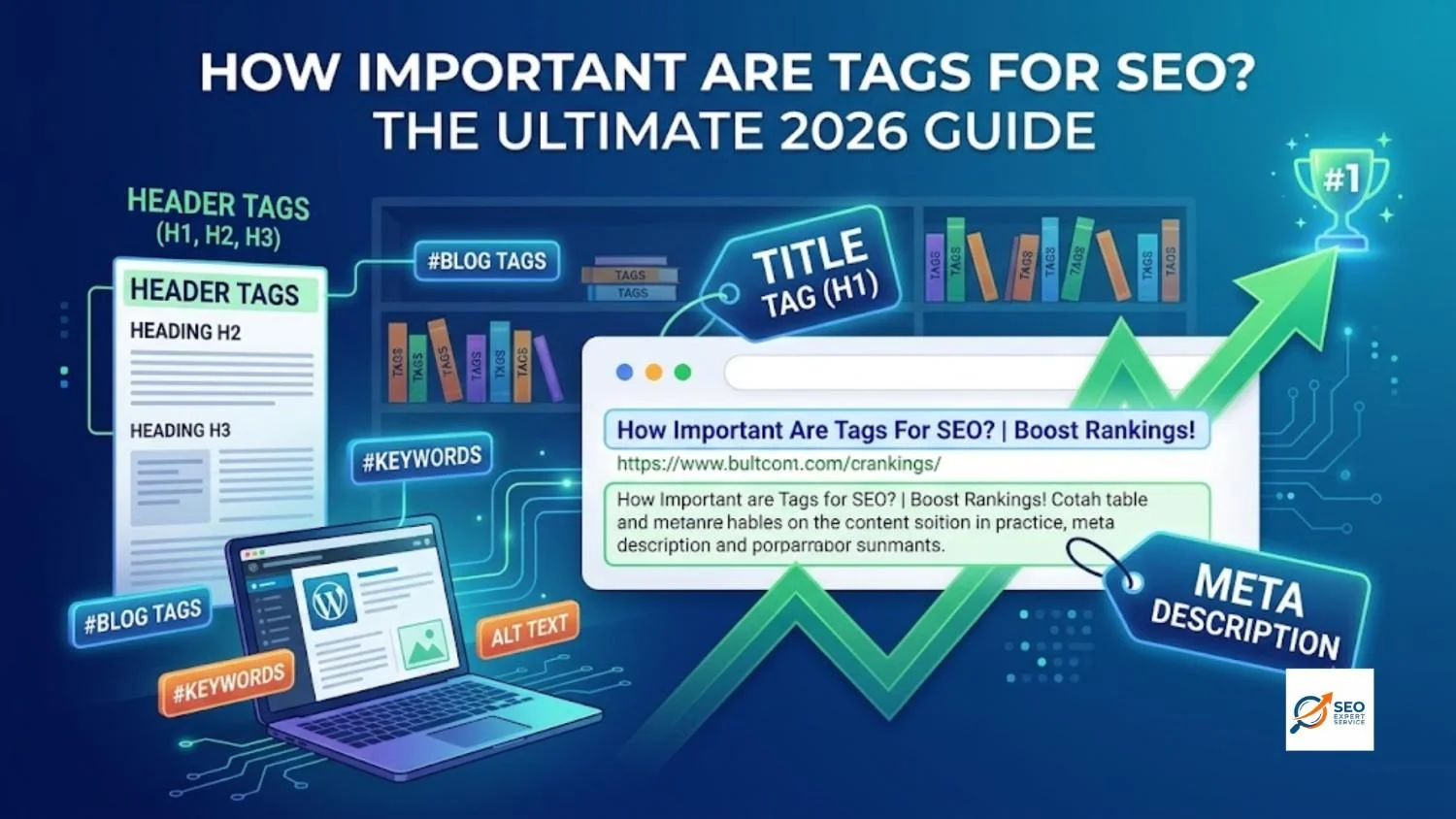
If you have a website, you might be asking: how important are tags for seo? The short answer is: they are very important!
Think of your website as a giant library. Tags are like the little labels on the bookshelves. They tell visitors and search engines exactly what is inside.
At Seo Expert Service, we know that getting your website noticed is not an easy job. But with the right tags, you can get more visitors and help your brand grow.
Let’s dive into everything you need to know about tags and how they help your website rank #1 on Google.
Table of Contents
What Are Website Tags? (A Brief Insight)
Website tags are tiny pieces of computer code (HTML) that help organize your web pages.
They work behind the scenes. Most of the time, visitors cannot see them. But search engines like Google look at them very closely!
Tags guide search engines. They explain what your content is about and how your page is laid out. This makes a big difference in both SEO (Search Engine Optimization) and how easy your site is to use.
Tagging – Short Conceptual Explanation
Tagging simply means using keywords or labels to sort your content.
Whether you are tagging an image, a blog post, or a whole web page, the goal is always the same. Tags make your content easier to find, read, and understand.
Different Types of Tagging Used Today
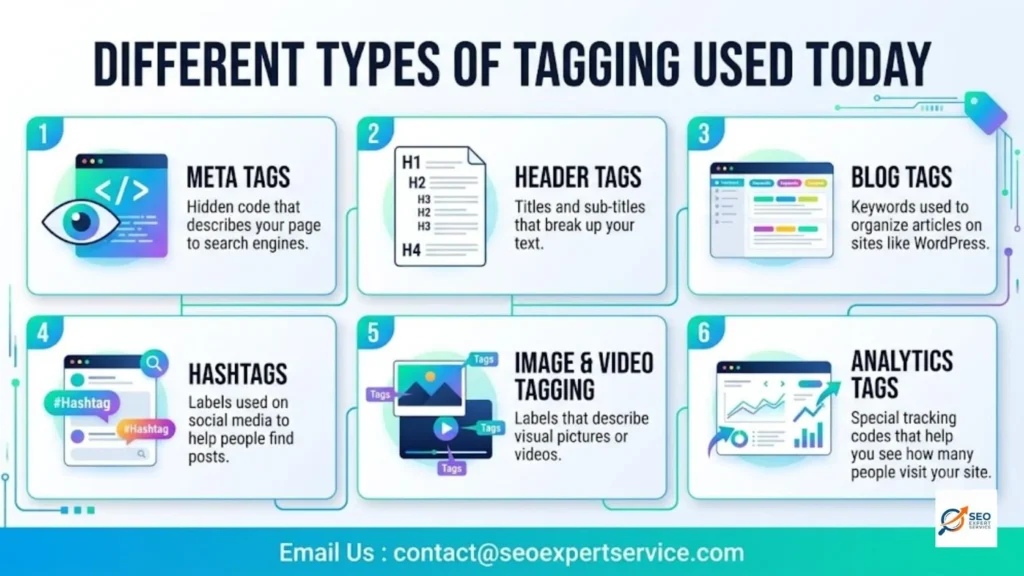
There are many kinds of tags used on the internet. Here are the most common ones you will see:
- Meta tags: Hidden code that describes your page to search engines.
- Header tags: Titles and sub-titles that break up your text.
- Blog tags: Keywords used to organize articles on sites like WordPress.
- Hashtags: Labels used on social media to help people find posts.
- Image & video tagging: Labels that describe visual pictures or videos.
- Analytics tags: Special tracking codes that help you see how many people visit your site.
All these tags share one main goal: helping people and search engines find your stuff!
Ready to boost your website traffic? Let the pros handle it email us : contact@seoexpertservice.com
The Impact of Different Tags
Not all tags are created equal. Some help your rankings directly, while others just make your site easier to use.
- High Impact Tags: These directly affect your Google rankings. (Example: Title tags and Header tags).
- Moderate Impact Tags: These give you indirect benefits. They make people want to click your link. (Example: Meta descriptions and Image Alt text).
- Minimal Impact Tags: These mostly help with organizing your site. (Example: Blog post tags).
Understanding Meta Tags
Meta tags are small snippets of text hidden in your webpage’s code.
They do not show up on your actual webpage. Instead, they talk directly to search engines.
Why Are They Important?
Meta tags are essential for your SEO success. They give search engines a quick summary of your page.
When search engines understand your page, they can show it to the right people. This brings more visitors to your site!
Title Tags
The title tag is the most important tag for SEO!
It is the clickable blue headline you see on Google search results. It tells everyone exactly what your page is about.
Best Practices for Title Tags:
- Keep it short! Make it between 50 to 60 characters so Google doesn’t cut it off.
- Put your main keyword near the beginning of the title.
- Make it catchy so people want to click on it.
- Do not stuff too many keywords into it. Keep it natural!
Meta Description
A meta description is the short paragraph of text right under the blue title link on Google.
It does not directly boost your ranking, but it acts like a mini-advertisement for your page.
How to Write a Great Meta Description:
- Keep it between 150 and 160 characters.
- Include a few relevant keywords naturally.
- Write a clear summary that makes the user want to visit your page.
If you write a great description, more people will click on your link!
Robots Meta Tag
The robots meta tag gives strict rules to search engine bots.
It tells them if they are allowed to read a page or if they should ignore it.
Directives You Should Know:
- noindex: This tells Google not to put your page in search results. This is great for private pages like “Thank You” screens.
- nofollow: This tells Google not to follow any links on that page. This is helpful if you have sponsored links that you do not want to share your SEO points with.
Header Tags (H1 to H6)
Header tags are the titles and sub-titles on your actual webpage. They range from H1 (the biggest) down to H6 (the smallest).
They help structure your content. Without them, your webpage would just be one giant, boring wall of text!
Balancing Readability and SEO Value:
- H1 Tag: Use only one H1 tag per page. This is your main page title.
- H2 Tags: Use these for your main section headings.
- H3 Tags: Use these for smaller ideas inside your H2 sections.
- Make sure your headers are short and describe the section well.
- Sprinkle keywords in them, but keep them easy to read for humans.
Need help fixing your website’s header tags email us: contact@seoexpertservice.com
Alt Text for Images
Search engines cannot “see” pictures. They need you to describe the pictures for them.
This is where Alt Text comes in! Alt Text is a short written description of an image.
Why is it Important?
- It helps visually impaired visitors understand what the picture shows using screen readers.
- It helps your pictures show up in Google Image Search.
- Always keep it short, describe the picture clearly, and avoid stuffing it with keywords.
Canonical Tag
Sometimes, you might accidentally have two web pages with the exact same text. Google hates duplicate content!
The Canonical Tag solves this problem.
It acts like a pointing finger. It tells Google, “Hey, out of all these similar pages, this one is the master copy.”
This protects your website from getting in trouble with search engines.
Blog Post Tags
If you use a platform like WordPress, you have probably seen blog post tags.
These are simple keywords you can attach to your articles to group them together.
While they do not directly boost your Google ranking, they help your readers navigate your website easily. When readers stay on your site longer, Google notices and rewards you!
What Are Categories and WordPress Tags?
Categories and tags are filing systems for your website.
- Categories: These are broad topics. Think of them like the main sections of a bookstore (e.g., “Horror Books” or “Cooking”).
- Tags: These are specific details. Think of them like the index at the back of a book (e.g., “Stephen King” or “Chicken Recipes”).
You can put categories into a hierarchy (parent and child topics), but tags always stand alone.
How Do Categories and Tags Help With SEO?
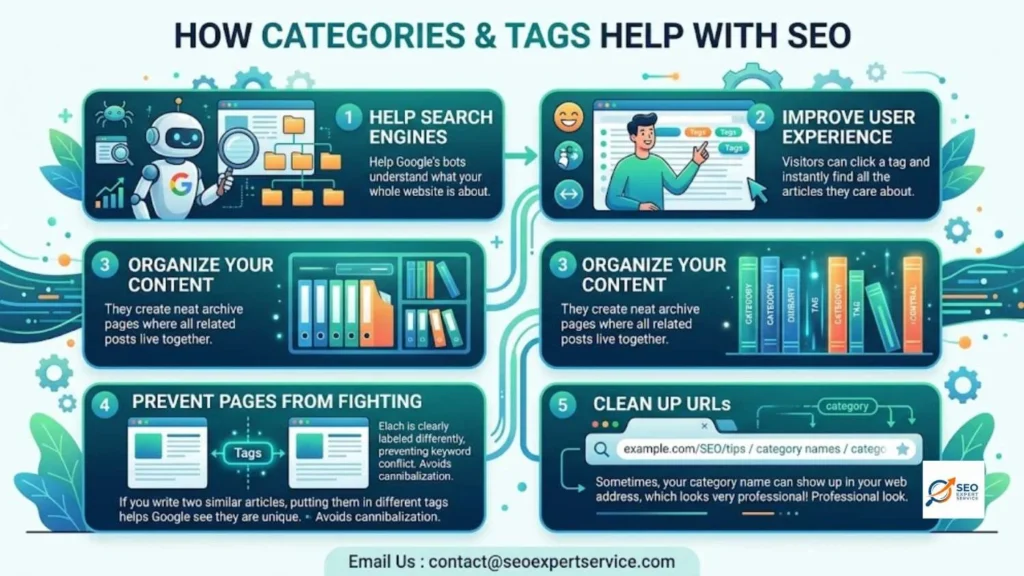
Even though they seem simple, categories and tags help your website in five big ways:
- Help Search Engines: They help Google’s bots understand what your whole website is about.
- Improve User Experience: Visitors can click a tag and instantly find all the articles they care about.
- Organize Your Content: They create neat archive pages where all related posts live together.
- Prevent Pages from Fighting: If you write two similar articles, putting them in different tags helps Google see they are unique.
- Clean Up URLs: Sometimes, your category name can show up in your web address, which looks very professional!
8 Tips For Using WordPress Tags & Categories For SEO
Want to set up your WordPress site perfectly? Follow these eight easy tips:
1. Use Descriptive and Relevant Labels
Make sure your categories make sense. Instead of just saying “Tips,” say “SEO Writing Tips.” Be specific!
2. Add New Subcategories if Necessary
If your “Sports” category has 100 articles, break it down! Add subcategories like “Soccer” and “Basketball” to keep things tidy.
3. Avoid Duplicating Categories and Tags
Never use the exact same word for a category and a tag. If your category is “WordPress,” make your tag something different like “WordPress Plugins.”
4. Don’t Use Too Many of Them
Do not treat tags like Instagram hashtags! Stick to a maximum of 10 categories for your whole site. Only use a few highly relevant tags per post.
5. Noindex Your Tag Archives
Tag pages can get messy. It is a good idea to tell Google not to index your tag archive pages, so they don’t clutter up search results.
6. Rename The Uncategorized Category
WordPress puts a default “Uncategorized” label on posts. Change this name to something useful right away!
7. Think About Your URL Structures
You can decide if you want the category name to show up in your web links. Keeping URLs clean and simple is always the best choice.
8. Add New Descriptions to Your Categories
You can write a small summary explaining what a category is about. This helps both your readers and Google understand the page.
Let us build your perfect content strategy today email us: contact@seoexpertservice.com
Tagging in Content Marketing
In the world of marketing, tagging is how we keep huge amounts of information perfectly organized.
If you have a big online store or a massive blog, a good tagging system is your best friend.
Choosing the Right Tags
- Use a mix of short keywords and longer phrases.
- Focus on what makes sense, not just words that are popular.
- Instead of just tagging “shoes,” tag “running shoes for beginners.”
Common Tagging Mistakes to Avoid
- Over-tagging: Putting 20 tags on one post looks messy and confuses search engines.
- Irrelevant Tags: Never use a popular tag if it has nothing to do with your article.
- Duplicate Systems: Do not create tags that mean the exact same thing (like “sneakers” and “running shoes”).
Where and How to Use Tags
Placing your tags in the right spot is super important.
- Put your main tags in your big headings (H1 and H2).
- Add them to your meta descriptions.
- Sprinkle your keywords naturally in your sentences.
- Try to keep your keyword density around 1% to 2%. If you use the word too much, it looks like spam!
Benefits of Tagging
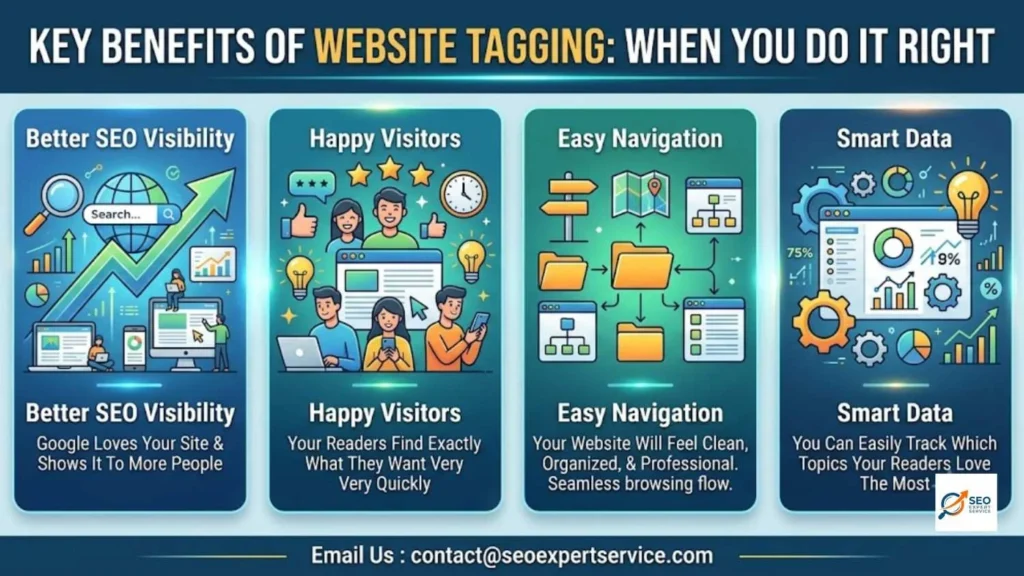
When you do it right, tagging brings amazing rewards to your website:
- Better SEO Visibility: Google will love your site and show it to more people.
- Happy Visitors: Your readers will find exactly what they want very quickly.
- Easy Navigation: Your website will feel clean, organized, and professional.
- Smart Data: You can easily track which topics your readers love the most.
Maximize Search Relevance with Professional Tagging
Doing all this tagging by yourself can take a lot of time.
If you want to make sure your tags are perfect for the new 2026 Google updates, it is smart to get professional help.
At Seo Expert Service, we know exactly how to structure your tags so search engines find you instantly. We handle the hard work, so you can focus on running your business.
Don’t let bad tagging hold your website back email us: contact@seoexpertservice.com
Also Read : How Often Should You Conduct an SEO Audit?
Also Read : How Does a Blog Help SEO?
People Also Ask (FAQs)
How important are tags for seo?
Tags are incredibly important! They act as roadmaps for search engines. They explain what your content is about, which helps you rank higher on Google.
Do blog tags directly boost my ranking?
No, blog tags do not directly push you to the top of Google. However, they make your website easier to read, which keeps visitors happy. Happy visitors mean better SEO indirectly.
How many tags should I use on a blog post?
You should only use a few highly relevant tags. Stick to 3 to 5 tags per post. Do not treat them like social media hashtags.
What happens if I forget to use an Alt tag on an image?
If you forget, visually impaired users won’t know what the picture is. Also, Google will not be able to read the image, meaning you will lose a chance to show up in Google Image Search.