
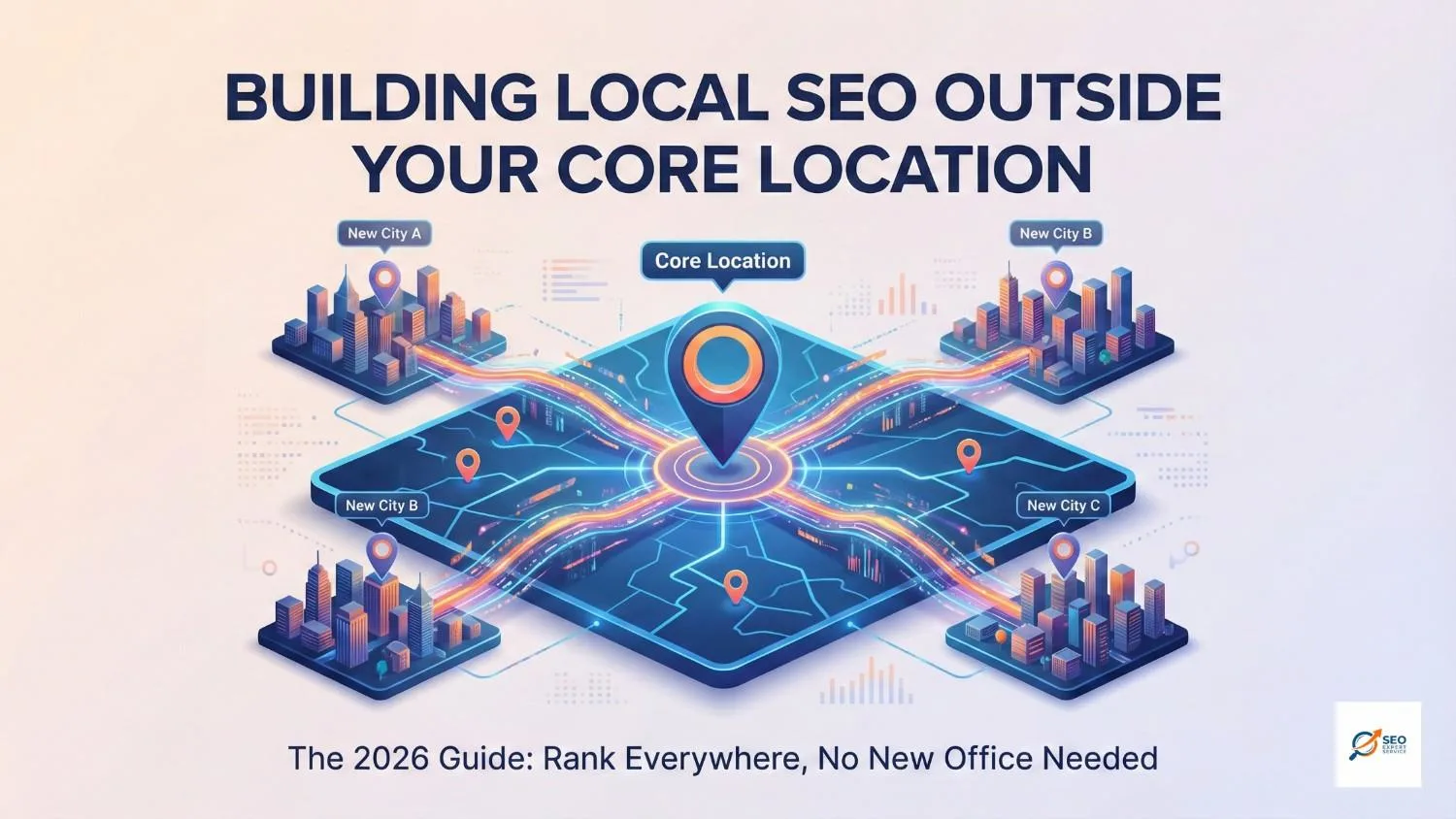
Imagine you have the best pizza in town. Everyone in your neighborhood loves it. But people three towns over? They don’t even know you exist. They are eating average pizza because they can’t find you.
This is exactly what happens with your business online. You might be huge in your home base, but invisible just 10 miles away.
Expanding your business beyond your “home base” is a natural step as you grow. But here is the tricky part: Google loves proximity (how close a business is to the searcher).
So, how do you trick… er, convince Google to show you to people in other cities?
At Seo Expert Service, we have cracked the code. This guide will teach you exactly building local SEO outside your core location, explaining it simply so even a 5th grader could understand (but powerful enough for a pro).
Table of Contents
1. The Golden Rule: Create “City Pages” (Location Landing Pages)
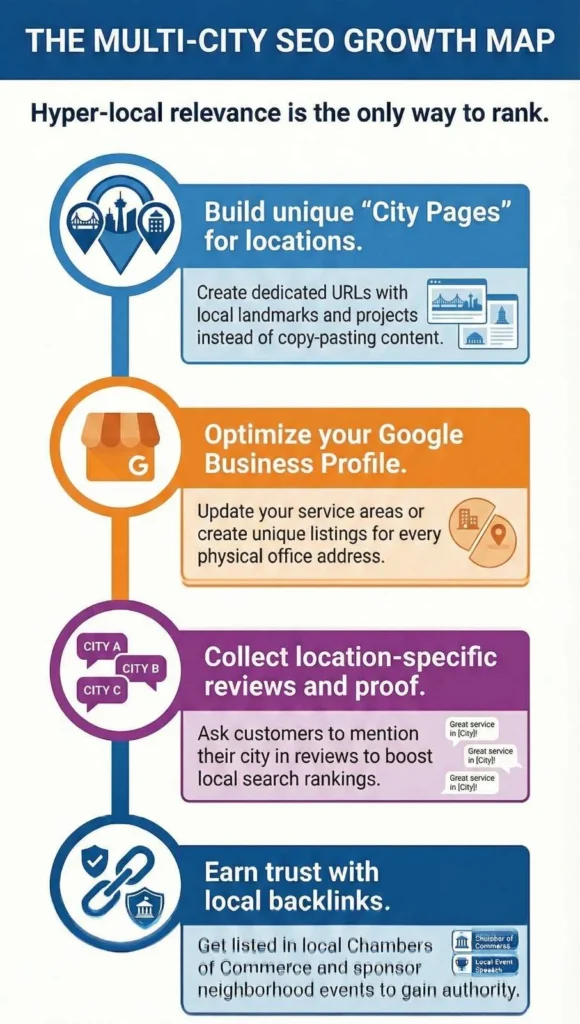
Think of your website like a house. If you want to invite guests from different cities, you need to build a special room for each of them. You cannot just stuff everyone into the living room!
In SEO, these rooms are called Location-Specific Landing Pages.
Why Do You Need Them?
If you are a digital marketing agency in Austin but want clients in Dallas, you need a page specifically for Dallas. This tells Google, “Hey, we serve this area too!”
How to Build the Perfect City Page:
- Unique URL: Keep it clean. Example: www.yoursite.com/locations/houston/.
- Talk Like a Local: Don’t just copy-paste. Mention specific neighborhoods, landmarks, or local projects you have done there.
- Local Keywords: Use phrases like “Service in [City]” naturally.
- Social Proof: Show testimonials from clients specifically living in that area.
- Embed a Map: Show the specific area you are targeting on a map.
Expert Tip from Seo Expert Service: Never use duplicate content! If you just swap the city name (e.g., “Best Pizza in Austin” vs. “Best Pizza in Dallas”) but keep the text the same, Google will punish you. Write unique content for every single page.
2. Master Your Google Business Profile (GBP)
Your Google Business Profile (formerly GMB) is your digital storefront. It is the cornerstone of local SEO.
For Service Area Businesses (SABs)
If you are a plumber or consultant who travels to clients, you might not have an office in every city. That’s okay!
- Update Service Areas: Go to your profile and add the surrounding towns and cities you actually serve.
- Don’t Fake It: Do not create fake addresses. Google is smart and will suspend you.
For Businesses with Multiple Physical Locations
If you actually open a new shop or office:
- Create Separate Listings: Make a unique GBP listing for each physical address.
- Be Consistent: Ensure the Name, Address, and Phone Number (NAP) are exactly the same across the web.
3. Crush “Near Me” and “Geo-Modified” Searches
People search in two main ways:
- “Near Me” Searches: e.g., “Best SEO services near me”.
- Geo-Modified Searches: e.g., “Solar installer in Portland”.
Data shows that people are using specific city names (Geo-Modified) more often now. To win these searches:
- Mobile Friendly is a Must: Most “near me” searches happen on phones. Your site must load fast and be easy to click.
- Use Local Words: Sprinkle city names and “near me” phrases in your titles and descriptions.
Ready to Grow Your Business?
Stop losing customers to competitors just because they are “closer.” Let’s fix your reach today. Chat on WhatsApp
Call Us Now: +91 85059-66000 Email: bestseoexpertservice@gmail.com
4. The Secret Weapon: Localized Content Marketing
Content is how you talk to your customers. If you want to be popular in a new town, you have to talk about what they care about.
- Local News & Events: Write a blog post about the “Top Trends in [Target City]” or sponsor a local event.
- Success Stories: Did you help a customer in the new city? Write a case study about it! “How We Helped a [City Name] Family Save on Energy”.
- Guide Books: Create guides relevant to that area.
This establishes you as a trusted authority in that specific region.
5. Build Trust with Local Backlinks & Citations
Imagine a popular kid in school points at you and says, “He’s cool.” Instantly, everyone else thinks you are cool, too. Backlinks are those digital “points.”
- Get Listed: Put your business in local directories like the Chamber of Commerce, Yelp, or Citysearch for each target area.
- Local Partners: Partner with non-competing businesses (like a wedding planner partnering with a florist) to exchange links.
- Sponsorships: Sponsor a little league team or a charity event in the new town to get a link from their website.
Why it matters: Backlinks from local websites tell search engines you are relevant to that particular area.
6. Technical SEO: Speak Google’s Language
Sometimes you have to talk in code literally.
- Schema Markup: This is a special code you put on your website that helps Google understand exactly where you are and what you do. Use “LocalBusiness” schema on your location pages.
- Heatmaps: Use tools called heatmaps to see where people from different cities are clicking on your site. This helps you find “hot spots” for expansion.
7. Reviews: The Social Proof
Would you eat at a restaurant with zero stars? No way! Reviews are critical for ranking outside your core location.
- Ask for Reviews by Location: If you finish a job in a new city, ask that customer to review you specifically mentioning the city or service.
- Respond to Everyone: Reply to every review. It shows you care.
- Manage Them All: If you have multiple locations, it can be hard to track. Use tools to manage reviews from one dashboard.
8. Advanced Tactics: Paid Ads & Multilingual SEO
Sometimes, SEO takes time. If you need results yesterday, use these boosters:
- Local Service Ads (LSA): You can pay to appear at the very top of the map pack. This guarantees visibility while your organic SEO kicks in.
- Speak Their Language: If you are expanding to an area that speaks a different language, translate your pages! Connect with the community in their native tongue.
Common Challenges (And How to Beat Them)
Expanding isn’t always easy. Here is what Seo Expert Service sees often:
- Proximity Bias: Google naturally prefers businesses that are physically closer. Solution: Create super detailed, helpful location pages to outweigh the distance factor.
- Duplicate Content: It’s tempting to copy-paste pages. Solution: Don’t do it! Invest in unique writing for every city.
- Competition: New cities have established players. Solution: Analyze what they are doing and do it better (better content, faster site, more reviews).
Conclusion
Building local SEO outside your core location is the best way to grow your empire without buying expensive new offices. It turns scattered locations into a unified, searchable footprint.
By building dedicated city pages, optimizing your Google Business Profile, and getting local reviews, you can convince Google (and customers) that you are the best choice no matter where you are properly based.
Need Help Dominating a New City?
You don’t have to guess. At Seo Expert Service, we have helped hundreds of businesses expand their territory.
Get Your Free Strategy Session Today! Click to Chat on WhatsApp
Call Us: +91 85059-66000 Email: bestseoexpertservice@gmail.com
People Also Ask (FAQs)
Can I rank in a city where I don’t have a physical address?
Yes! By creating high-quality “City Landing Pages” and optimizing your service area in your Google Business Profile, you can rank in nearby cities.
What is the biggest mistake in multi-location SEO?
Using duplicate content. Copying the same text for every city page will hurt your rankings. You must write unique content for each location.
Do reviews help me rank in other cities?
Absolutely. Reviews from customers in specific target areas boost your credibility and visibility for that location.
How do I handle “Near Me” searches for other towns?
Optimize your website for mobile devices and include “near me” and specific city names in your content and meta tags